
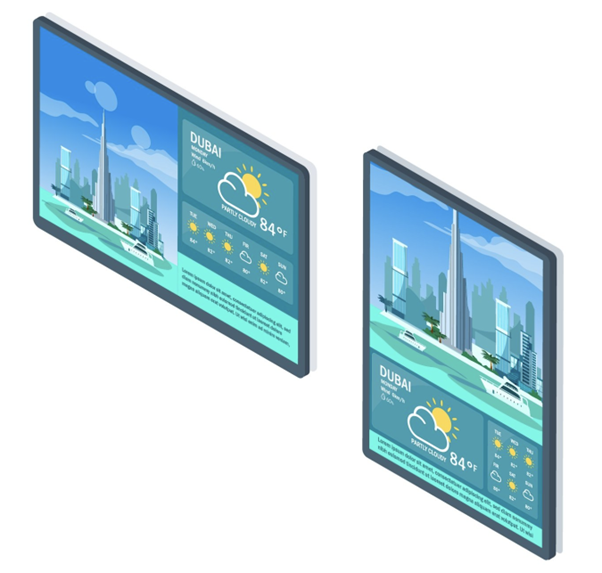
Landscape
- Typically, the wide-body and the angular tilt of landscape kiosk enclosure will make a very attractive look. Such kiosks are particularly great for easy reading where people would be reading for extended periods, making them the perfect tool for displaying floor maps in a mall.
- Landscape or angled touch screen kiosks are less visually obtrusive than vertical kiosks because their screens don’t have to be positioned in line with the face.
- Landscape displays are considered one of the most popular and versatile design layouts because of its adaptable size. This can be attributed to the fact that it looks identical to the appearance of a TV screen, which makes it appear catchier and more visually-appealing than the portrait-oriented digital signage in the cloud screens. Furthermore, the most common orientation for videos is the landscape format, thus making this orientation the more suitable orientation, especially for the presentation of motion pictures and dynamic slides. In a more professional sense, research has shown that landscape-oriented screens are more easily remembered and retained by the audience than the portrait-oriented displays because the landscape orientation is nearer to a human’s exact field of vision which tends to be wider than longer.
- While landscape displays are generally considered the most versatile design layouts thanks to their adaptable size.
- Landscapes are about space–they give users an impression like there’s room to breathe. So, if an application is displayed in landscape orientation, the user feels more spacious. The space created can give the user an entirely different feel.
- Using landscape mode can make the application feel smaller, perhaps even vulnerable. But, it could also provide context that would make it seem grander
Portrait
- Portrait orientation, on the other hand, is more adaptable to product-specific requirements, such as for unique branding or product emphasis. Portrait-oriented screens are often used for items and products with specific business needs. This means that customers who pick portrait mode often do so with a specific goal in view. Other clients might request the portrait-mounted screens due to space constraints for displaying important information such as building directories and maps on narrow columns or for digital menu boards to give the incoming audience a peek of the company’s products or services.
- It’s safe to say that most people feel more comfortable with portrait format if they need to view a moderate to large amount of detailed information. It’s easier to process information spread out in a large number of leaner columns, rather than a smaller number of longer rows, due to content (especially text) being presented in a left-to-right fashion – most English speakers are conditioned to read and digest content from left to right.
- Most mobile phone users are used to holding their phones in portrait mode, swiping up and down. Hence, portrait orientation might be more appropriate for mobile kiosks, smaller kiosks with the emphasis of quick/convenience.
- From unique branding to wayfinding and digital menus, portrait mode is the ideal choice when you have a specific goal in mind. Eg, a specific singular purpose for the kiosk.
- Application in portrait mode can accentuate vertical content, making them seem more regal. Display in portrait format gives the User a sense of being closer to the content. And, because you’re closer, it can give the impression more of an intimate feel.
Conclusion
Ultimately, for kiosk orientation, it depends on a variety of factors, not least the space of the location, the amount and type of content displayed, the purpose of the kiosk, the demographics of the users.